yourstory is on sale for $34.99 but, if you enter a code NEWYEAR20 i believe it's another 20% off your order. That's the best I've seen lately. I did get mine for $24.99 plus free shipping on ebay but, I haven't see it lately for anything lower than $30.00. HTH
for inspiration, here are the entries for the yourstory contest with Provocraft.
http://www.cricut.com/yourstory/
Also, I think the OMC code might apply to cricut as well. That would bring the destinations cartridge and many others down to $39.99. If you have been putting off buying the cartridges, this might be another chance to get them on sale.
January 3, 2010


January 2, 2010
New Years Day Clearance shopping!
I snagged a bunch of nice ribbon packs from the Christmas section at 75% off. I also have 2 boxes of sweeties that will be great to scrap on after the contents are releaved from them! The boxes are way too cute not to scrap them! It makes you look at some of the things that we toss to reuse them especially for using them for storing our little embellishments.
I also hit Michael's and have a bunch of Christmas ribbon that was on 70% clearance.
I think it was pretty productive!
I am waiting for my stickles to arrive then, my New Year will definately be quite sparkly!
I also hit Michael's and have a bunch of Christmas ribbon that was on 70% clearance.
I think it was pretty productive!
I am waiting for my stickles to arrive then, my New Year will definately be quite sparkly!
OMG! I'm in heaven!
We went to the Christmas Market in Chicago over the holidays. We picked up some great German sweets and the gentleman that handles the Sweet Shoppe shipped some Chipsfrisch Oriental chips to me! YEA!!! I have not had them for over 7 years. I am having a great New Year enjoying my chips! YUM!!!! They somewhat taste like a BBQ chip but, are a bit different. If you are familair with the Magi trademark, they taste similar to the Maggi sauce but, on the chips! YUM! Too bad I cannot make the chips on my cricut! Now, that would be a feat! Happy New Year's to everyone! And happy scrapping!
This inspired me to make some gumbo! I am making it with some oysters, shrimp, crab and lobster! I'm thinking some saffron might be good to add as well. oh and maybe some sweet corn cake or corn bread to boot!
This inspired me to make some gumbo! I am making it with some oysters, shrimp, crab and lobster! I'm thinking some saffron might be good to add as well. oh and maybe some sweet corn cake or corn bread to boot!
Presents Layout!


This week the SweetSassyDiva DT was asked to create a project using something we got for Christmas or recycling something that would have been thrown away. Well I did a little of both!
I made this layout using some wrapping paper from Christmas presents. So the wrapping paper was given as part of the gift (it was covering it) and it was going to be thrown away! I cut the 2 smaller red boxes (actually they are photo mat areas) down to 2.75x3.5, just a little bigger than a wallet sized pic, and the large blue one is approx 4.25x6.25 inches, just a little bigger than a 4x6 pic. the present is approx 3x3 and I used some of the ribbon off of another gift and made it look like it was wrapped around the box. The title "PRESENTS" was cut freehand from the same red wrapping paper. The tiny tag was also cut freehand and only adhered down on the top half of the tag to make it pop off the page a little bit. I adhered it all down. I like how this turned out.. pretty cute!
Jamie
January 1, 2010
Favorite Projects of 2009!
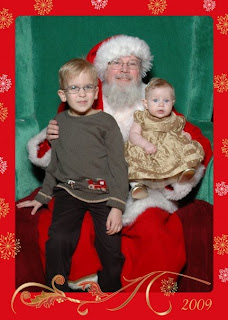
well mine is my dd! She was born this year. And DS was my favorite project created in 2003!
I also am proud of my gypsy challenge. it was my first real project from my G. I welded images and flipped images. I also welded images form multiple carts. And has a matching envelope.

I look forward to more over 2010!
Here's the yourstory competition but, I didn't participate in that one. There are a lot of ideas there though.
http://www.cricut.com/yourstory/default.aspx?Page=1&St=1
Some more favorites are here.

I also am proud of my gypsy challenge. it was my first real project from my G. I welded images and flipped images. I also welded images form multiple carts. And has a matching envelope.

Here's the yourstory competition but, I didn't participate in that one. There are a lot of ideas there though.
http://www.cricut.com/yourstory/default.aspx?Page=1&St=1
Some more favorites are here.
December 25, 2009
I-top brad maker template using DS, gypsy or AE
I found this on the cricut MB posted by BethDoc:
"I found this on a blog--she had the cut file posted but I don't have design studio but if you want to download the cutfile, the blog is called Imagine That at www.everythingcricut.blogspot.com. It is dated August 26, 2009. [i corrected the date]
This below I just copy and pasted from her blog ( I haven't personally confirmed that it works, since I still haven't opened my Itop yet ):
If you don't have Design Studio but do have Accent Essentials, here is what you need to do:
You will be using the sixth key on the top row, with the shift key pressed (do NOT press the feature key).
If you have the CE, set your machine so that instead of quarter inch increments, you can increase (or decrease) the size of the image by tenths of an inch.
For the small, cut out size 1.3 (it is 1.313 on the cut file I designed, fyi)
For the medium, cut out size 1.9 (it is 1.875 on the cut file I designed)
For the large, cut out size 2.1 or 2.2 (2.125 is what I have in the cut file I designed)--I need someone to test this & let me know what works best as I do not have the attachment for the large brad at present.
I figured these out according to how much space needed to be in the middle of the shape before the pointy edges started, and how large the image needed to be overall. "
"I found this on a blog--she had the cut file posted but I don't have design studio but if you want to download the cutfile, the blog is called Imagine That at www.everythingcricut.blogspot.com. It is dated August 26, 2009. [i corrected the date]
This below I just copy and pasted from her blog ( I haven't personally confirmed that it works, since I still haven't opened my Itop yet ):
If you don't have Design Studio but do have Accent Essentials, here is what you need to do:
You will be using the sixth key on the top row, with the shift key pressed (do NOT press the feature key).
If you have the CE, set your machine so that instead of quarter inch increments, you can increase (or decrease) the size of the image by tenths of an inch.
For the small, cut out size 1.3 (it is 1.313 on the cut file I designed, fyi)
For the medium, cut out size 1.9 (it is 1.875 on the cut file I designed)
For the large, cut out size 2.1 or 2.2 (2.125 is what I have in the cut file I designed)--I need someone to test this & let me know what works best as I do not have the attachment for the large brad at present.
I figured these out according to how much space needed to be in the middle of the shape before the pointy edges started, and how large the image needed to be overall. "
December 2, 2009
trade? cartridges I need...
I need pink journey, picturesque and potpourri
if you have any of those, i could trade for plantin schoolbook, disney cars, sweet treats, paisley, pagoda, storefront or any of the carts available at the cricut rewards site:
http://www.cricutrewards.com/s-4-cartridges.aspx (there are a lot to choose from there)
just send me a private message.
if you have any of those, i could trade for plantin schoolbook, disney cars, sweet treats, paisley, pagoda, storefront or any of the carts available at the cricut rewards site:
http://www.cricutrewards.com/s-4-cartridges.aspx (there are a lot to choose from there)
just send me a private message.
Subscribe to:
Posts (Atom)





 Posts
Posts