MyFreeCopyright.com Registered & Protected
Showing posts with label Jasmine. Show all posts

January 12, 2011

Cookies!


Some Things I Used
  • Cricut
    Imagine Cartridge Imagine More
  • Cricut
    Cartridge From the Kitchen
  • Chalks
  • Sewing
    Machine
  • Sandpaper
 I used
patterned cardstock I bought at Joann Fabrics and sanded and chalked the
edges. 
I used the Cricut to print and
cut the eggs, "stir", timer and title.  I used a typewriter to tell the
story.  I used my sewing machine to decorate the edges and left a little of
the thread hanging.  I like to do that because it makes the page feel
humble to me. 

January 3, 2011

Shall We?


This is a leftover container from my Christmas Party.  Instead of trying to
remove the label, let's just cover it up.
 

I used my Cricut Imagine to make my new label.  I used the Cricut Imagine
cartridge Lori's Garden to print the color and patterns onto the shapes.
 

Scissors from the Sentimentals Cartridge.
 

Flowers from the Cricut Shall We Dance cartridge.
 

Dress form from the Cricut French Manor cartridge.
 

Now you just need a piece of cardstock that will cover the label.
 

I inked up the edges to give it some character.  You can dab a Q-tip on the
pad to get into tight spots.
 

Glue everything on and you're done!


Some Things I Used
  • Cricut
    Cartridge Shall We Dance
  • Cricut
    Cartridge French Manor
  • Cricut Cartridge Sentimentals
  • Cricut Imagine Cartridge Lori's Garden
  • Glue
  • Ink pad
  • Q-tips
  • Empty Container 
I was thinking of using this
container to keep my buttons and other sewing notions.  


December 29, 2010

New Years Party !


Some Things I Used


  • Cricut Cartridge Designers Calendar

  • Wrapping Paper

  • Gold Curling Ribbon

  • Gold Glitter Glue

  • Jingle Bells

  • Star Beads

  • Wire 


 Resources


I used the end of a paint brush to curl the wire, then attached the star beads and bells to it.  I covered the New Years Day title with glitter glue.  I used scissors to curl the ribbon, then glued it all around the hat.


December 28, 2010

Christmas Cheer Snowman!

A quick and easy tag/ornament is by using the Christmas Cheer cartridge and the Imagine More Cartridge for the Cricut
Imagine.  It's so convenient when you only need a white sheet of cardstock
and the Imagine does all the coloring for you!


Don't forget, SweetSassyDiva is the place where it's all at!


Blessings!


December 24, 2010

Tag Ornament with Doodlecharms!

A quick and easy tag/ornament is by using the Doodlecharms cartridge and the Imagine More Cartridge for the Cricut Imagine.  It's so convenient when you only need a white sheet of cardstock and the Imagine does all the coloring for you!


Don't forget, SweetSassyDiva is the place where it's all at!

Blessings!


December 15, 2010

Imagine Christmas Banner!

This banner took me a lot longer than I thought it would.  But I had fun
making it.  I used the word Christmas for my banner.  Next time I
should use the word Joy, just for the sake of time! 
I folded 9 triangles out of green paper and cut 9 scalloped circles using
the Accent Essentials Cricut Cartridge.  I keep my chalk in a set of
drawers I got from Home Depot and used the same dark green chalk to color
the triangles and scalloped circles.  I used a hole punch to make a hole in
the edges of each scallop.  Then I glued the circles to the triangle and
covered the entire thing with Glossy Mod Podge collage glue to seal in the chalk
to keep it from getting messy.
I used the Storybook Cricut cartridge to make the letters.  I used gold
glitter glue to embellish them.    Then I used a Martha Stewart
punch to make the red border on the top of the triangles using regular red
cardstock.  I punched a hole on each side of the triangle tops and used a
brad to attach them together.

It's not easy getting a good photo of shiny crafts!


I threaded white buttons with green floss and used a sticky dot to stick them to
the front of the brads.

Then I glued a bow made of red floss and onto the bottom tips.  Finally, I
used a thread and needle to secure the jingle bells on the very bottom.

Thanks for reading!
♥Jasmine

December 10, 2010

A Partridge in a Pear Tree!


I used the Cricut Cartridge Joys of the Season and the Cricut Imagine Cartridge
Imagine More to make this book.  I used red and white patterned cardstock
that I got from Costco years ago.  Then I used a black and white gel pen to
doodle all over the shapes to give it a little pop.  I put the pages
together using an office binding system with plastic combs for the spine.


December 1, 2010

January New Years Layout!


I made this layout for Sweet Sassy Diva.  I like making layouts ahead of time so I can immediately
throw my photos in while it's still fresh in my head.  I used the Cricut
Designers Calendar cartridge on my Cricut Imagine machine.  The background
paper is from a stack of Christmas papers I got from Joann Fabrics.  The
cut-outs were cut out of Post-It brand craft paper.  It's already sticky,
so it's easy and quick.  Also, the adhesive is just like the Post-It memo
pads, so it's very forgiving if you need to reposition it. 
★ Blessings,
Jasmine Wilmany

Be sure to check back daily for new projects.  We also will be doing a blog hop on December 4th.  You can enter for a chance to win an awesome gift of Post-it paper!  You will want to see all the other blog projects and blog candy from participating sites.

- SweetSassyDiva

November 27, 2010

Advent Calendar!


I folded the boxes out of patterned cardstock by getting the idea from this link. I played around with different sizes and mostly eye-balled it.


I used the Cricut cartridge Designers Calendar to cut out the numbers with the Post-It self adhesive paper. I used doubled stick tape to attach the boxes together. I also used the Post-It paper to wrap all around the box to hold all of the boxes securely. Then as a finishing touch I wrapped it in ribbon and topped it with a handmade bow.


I was thinking of putting little pieces of candy in each box and then a big piece for box #25.


Jasmine

November 20, 2010

Imagine More Christmas Cheer?

I used the “Christmas Cheer” Cricut Cartridge for the penguin and the “Imagine More” Cricut Imagine cartridge for the coloring.


I used a dotted Cuttlebug embossing folder for the white piece in the middle to remind you of snow.

I used beige felt to cover the frame.

I smeared Tacky Glue with my finger to the front of the frame, then placed the felt on top of it.


Then I smeared Tacky Glue to the back.


I used a baby wipe to easily clean my fingers and cut the felt through the hole.


Then, I used and image by Eiglas and printed it onto a transparency. I colored the back of it with markers and then sprayed it with a adhesive before attaching it to the front of the frame.


Then I made the penguin and glued him on top of the transparency.


- Jasmine

November 13, 2010

Smiley Card..Call Me!


Smiley Cartridge: Call Me and Speech Balloon


Photo Corner punch

Buttons

Jewels

I used a white pen to draw stars onto the Call Me letters to match the white stars that are already on the cardstock.

- Jasmine


Congratulations to the winners of the Veteran's Day Blog Hop!!! The winner of the Scrap'nTote is Jodie!  Jodie you will be contacted by KarelJ.  The second winner of the Spellbinder's Nesties is Gina!  KarelJ has notified her. 

- SweetSassyDiva

November 5, 2010

Imagine Simply... Fall In!

You are going to fall in love with this simple fall layout!


I sewed ribbon into pleats and attached to a circle.


I printed out the inner circle from Photoshop.


Designer’s Calendar Cartridge and printed pattern on Imagine more: Leaves


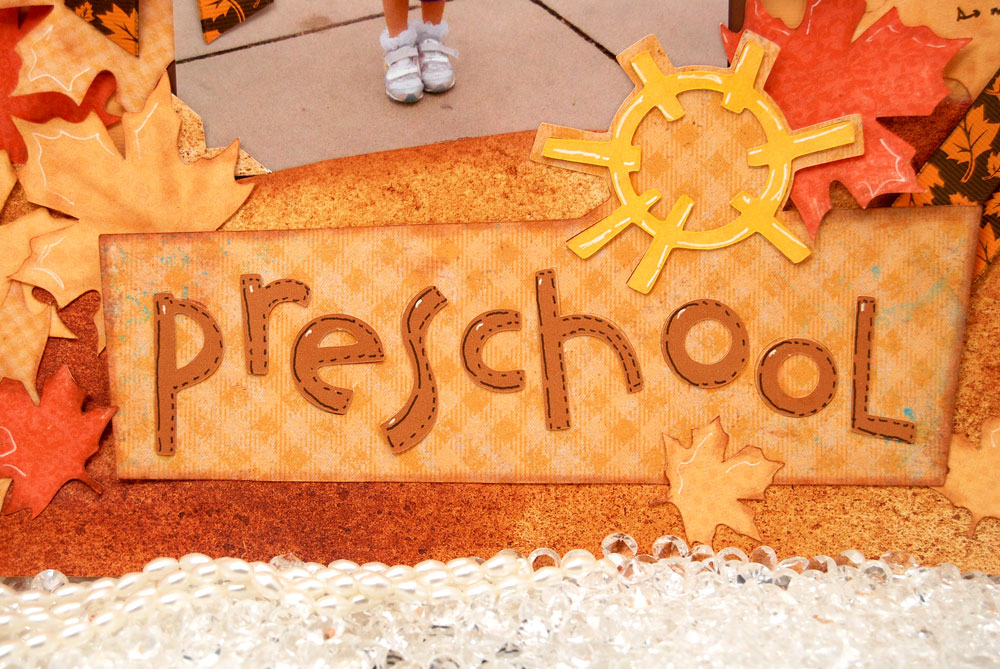
Locker Talk Cartridge: Preschool Title


And that’s about it… Simple!

- Jasmine